How to proceed to upload statistics in the media plan?
How to proceed to upload statistics about online adverts in the media plan?
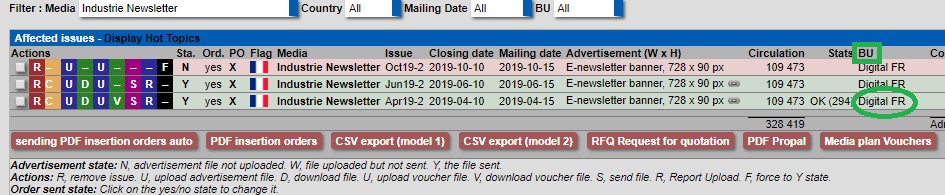
To do this, click on the business unit line as shown below in green.
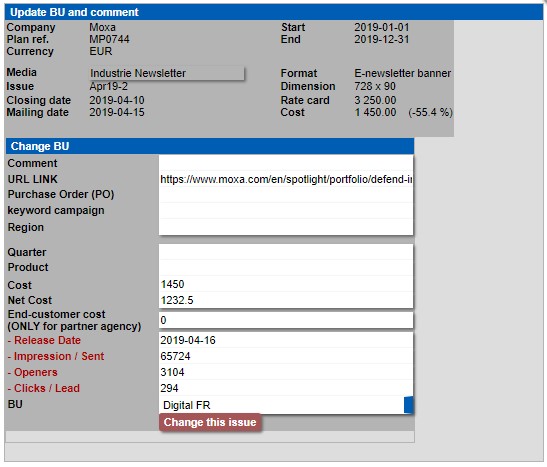
Then you access the statistic interface. You must complete the information in red and click on “Change this issue” as shown below in red.
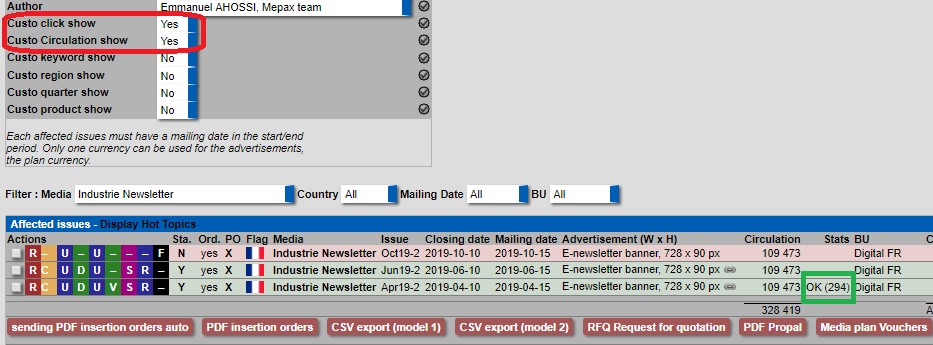
Now your click statistics appear in your media plan line below in green. If the information about statistics and circulation does not appear, you must put Yes in the drop-down boxes “Custo click show & Custo circulation show” as displayed below in red.
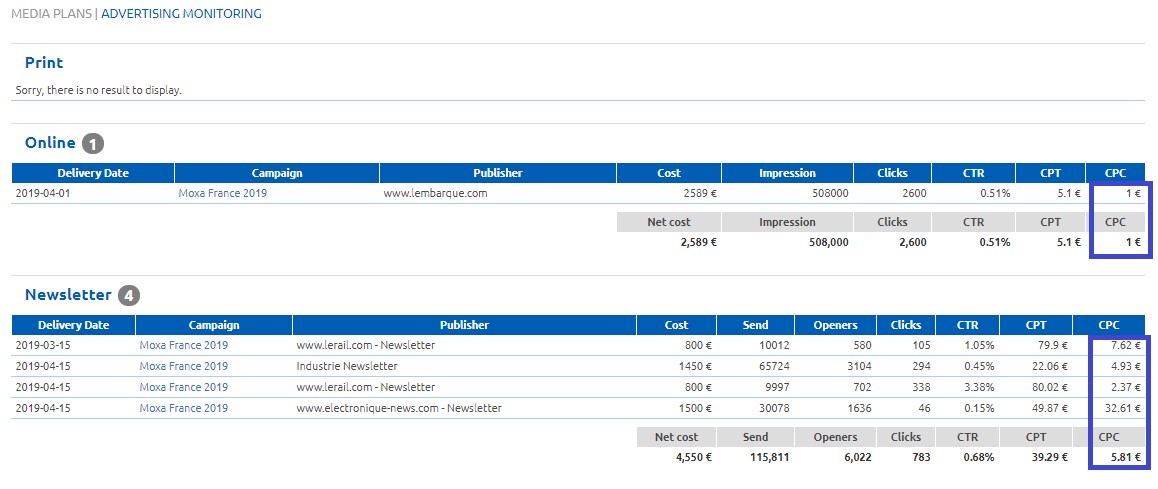
Please note, the importance of completing this information for the customers and for us, because all the statistics we upload in the media plans help us to have a right idea of the cost per click data in the media we place advertisement.

For example, as shown above in blue, by clicking on “Schedule + KPI (Excel)” in a media plan, an excel spread sheet will appear with all the statistics we have for the campaign, cost per click in blue below and so on.