Proofreading
For some clients after receiving and uploading a translation you must have it proofread by sending it to the local contact in the client country. Please note that the proofreading function only works if you have previously assigned the BU (Business Unit as Local contact.
To do this click on the red button called proofreading as shown in the picture below in green:

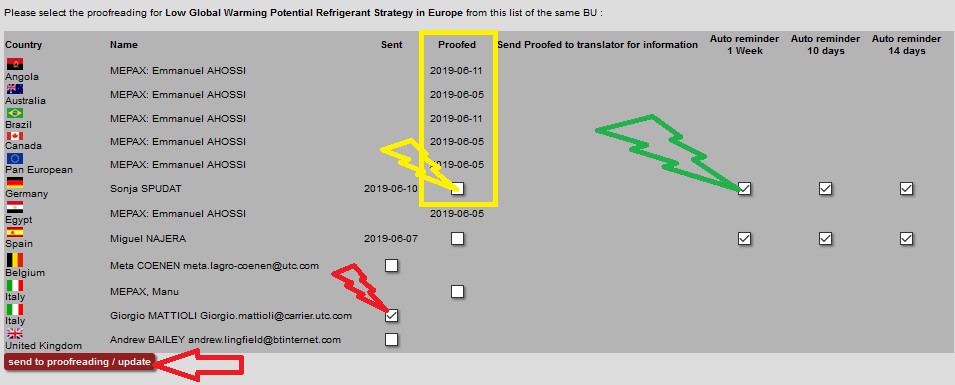
Access the proofreading section and select the proofreader previously created as local contact. To do so, choose the correct local contact by clicking on the box as shown below in red, then click on Send to proofreading/Update.
Please note that, once the proofreading email has gone, the proofreader will receive 3 reminders as shown below in green. You can also unselect these reminders if needed.
Finally, when you have received the corrected file from the proofreader and you have updated the translation with their comments in press documents, you must go back to the proofreading section. By clicking check on the proofreader country box “proofed” as shown below in yellow, your translation is validated on the press document by a green mark.