
Translators waiting
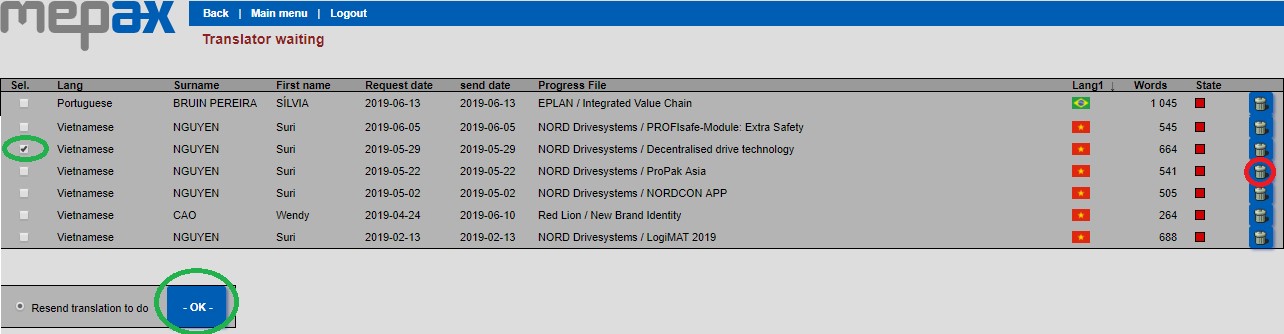
After you have sent a translation request, you can see all pending translation in Main Menu – Administration Tasks, then select Translators waiting. So here you can do 3 things
- Resend reminder email to translator.
To do this find your missing translation filter by language if needed. Select your translation by checking the box shown above in green, you can select multiple translations at the same time, then click OK. You and your translator will receive a reminder email.
- In the case that you have sent a translation request, but the translator has said they cannot do it, you need to change the translator and send a new request to another translator in the same language.
To do this, you are obliged to delete the original request in translators waiting to be able to send to the new translator via your press file.
- Access translator profile and cost per words.
To do this click on the translator name and you will find all the information available regarding this translator. (Cost/words – Telephone). If you need to you can also update their information in their profile. If so, remember to save your changes by clicking on OK.