
Advertisements
In this part of the media profile, you can add all information needed for an advertisement if you click on + Add Advertisement below in blue.

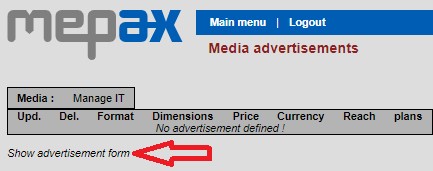
Now, click on show advertisement form as displayed below by the red arrow.
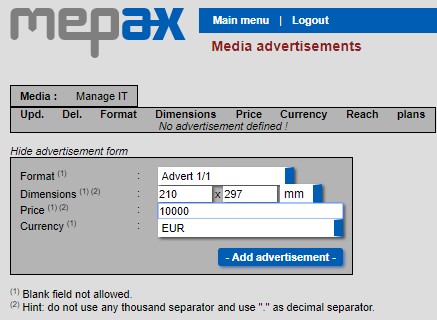
At the step below, you need to fill in the required in formation.
- Select your advertising format from the drop-down box below
- Put dimensions
- Price (Rate Card cost in the mediakit)
- And Currency
- To validate click on -Add advertisement- below in blue
Your advertisement will now appear in the media profile under Advertisements

Please note if the media profile is not completed with:
- The right advertisement information (the ad type you negotiated with the media and approved by your customer).
- The right Technical contact & Sales manager.
- All the year issues created.